
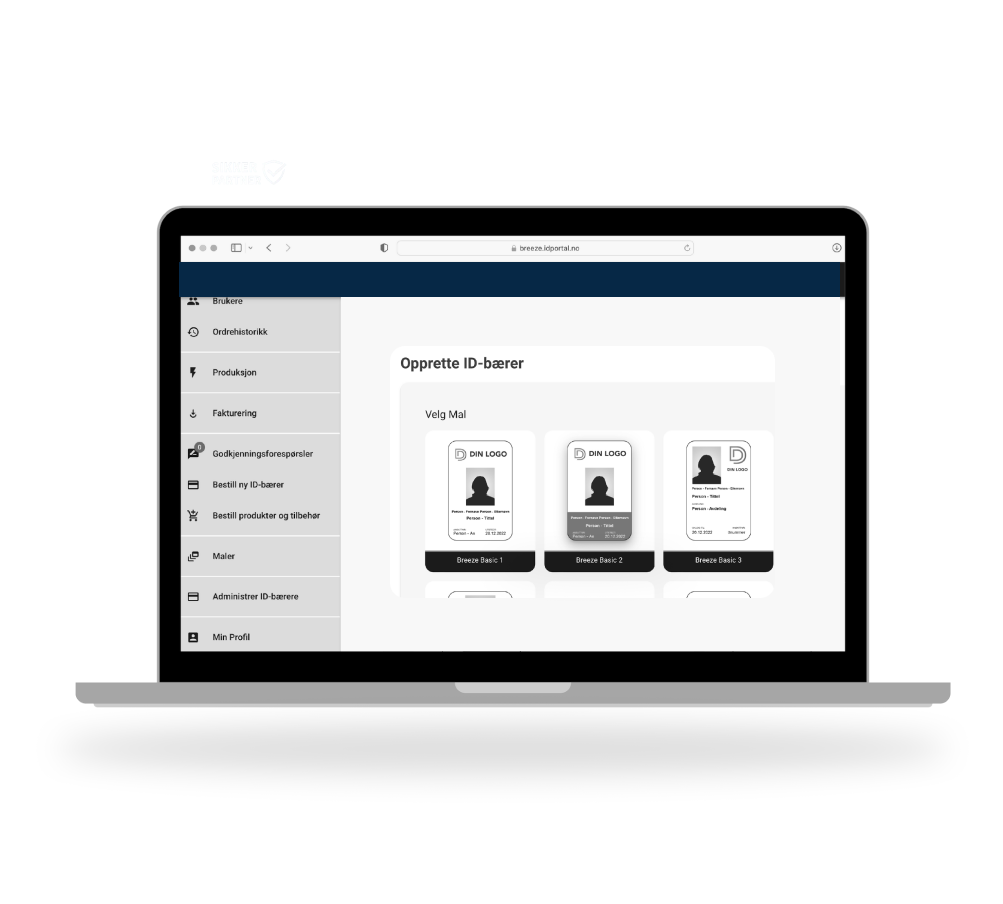
Card Templates – Smarter credential management
With Breeze Card Templates, you define approved configurations for each credential type—physical cards, mobile IDs, and key fobs. Each template standardizes how credentials are created, provisioned, and synchronized, while storing production details for both centralized and local printing. Templates can be reused and easily adjusted for other credential types, making the process faster, reducing manual steps, and minimizing errors.
The result: consistency, flexibility, and simplified credential management at scale.
Standardize once, Scale everywhere. One Standard for all credential types
Why we use credential templates?
Consistency
Ensure all credentials follow the same approved standards.
Efficiency
Define complex settings once and reuse them.
Time savings
Reduce manual work when issuing new credentials.
Scalable standardization
Maintain uniform configurations across roles and sites.
Mobile Credential Templates
Mobile Credential Templates make it easy to define how mobile ID credentials are created and synchronized with your chosen mobile ID provider. All the necessary settings are bundled into one reusable template, ensuring predictable behavior and reliable delivery every time.
With Breeze ID-portalen, issuing both physical and digital access cards is effortless. Mobile credentials are provisioned with the same simplicity and efficiency as traditional cards, ensuring a smooth experience for administrators and users alike.
And if your mobile ID requirements involve other providers, we’re here to help. Contact us to discuss tailored solutions that meet your security standards.
How it works
Create a template and configure everything needed for consistent credential production:
Connect it to:
Credential design
Carrier design
Base card for production
RFID and magnetic encoding setup
Define key settings:
Number series and formulas
AMR report-back configuration
Set up ID photo options:
Size
Background removal
Configure text fields:
Length
Mandatory or optional
Dropdown lists
Rules
Visibility to card holder
Manage centrally to keep configurations consistent over time.
All template setup and configuration is done by users with the System Administration role.
What’s in a credential template?
Provider connection settings – Define the credenhow credentials link to your identity provider.
Automatic synchronization behavior – Keep data up to date without manual steps.
Credential identifier ranges – Control numbering for consistency and security.
AMR Incident and notification preferences – Decide how alerts and issues are handled.
Card layout previews – See the design before you print.
Production details for issuing – Store everything needed for centralized or local credentials issuing.
Access rules or profiles – Predefine permissions for different roles.
Branding elements – Logos, colors, and design standards.
Security features – RFID chip encoding or magnetic stripe configuration
