
How to delete credentials and personal data
When an employee leaves, when a credential was ordered by mistake, or when you need to clean up old data, you can delete credentials yourself in Breeze. You search for the credentials, select the ones you want and delete them in one go.
Want to keep the person’s details for a new card? Reorder the credential before you delete it, so you can reuse the existing data and photo.
See How to reorder a credential.
Before you start
You need the Admin role in the portal. If you can’t see the Delete credentials button, contact your Breeze administrator.
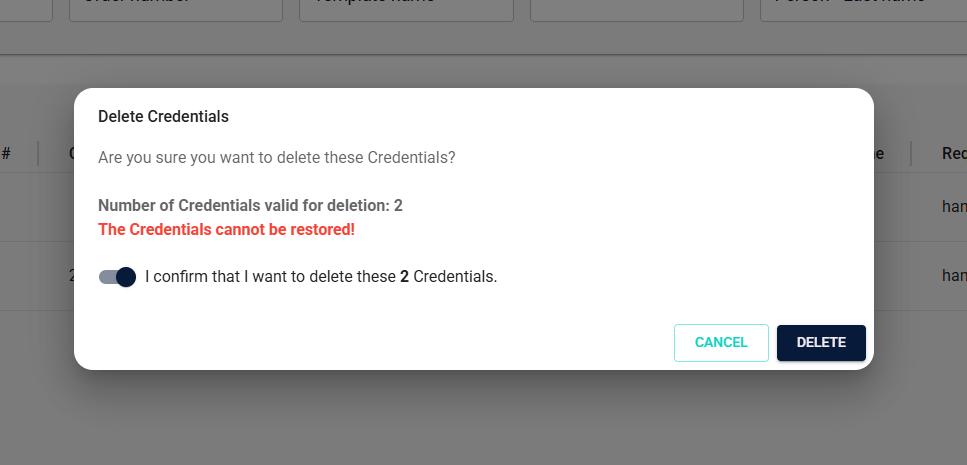
Deleting is permanent. A deleted credential can’t be restored or reactivated. If you need it again, you have to order a new one.
If you only need to stop a credential for a while (for example during leave or for a lost phone), deactivate it instead of deleting it.

Step 1: Open Manage credentials
In the left menu, click Manage credentials. You’ll see a list of all credentials in the portal.
Step 2: Find the credentials you want to delete
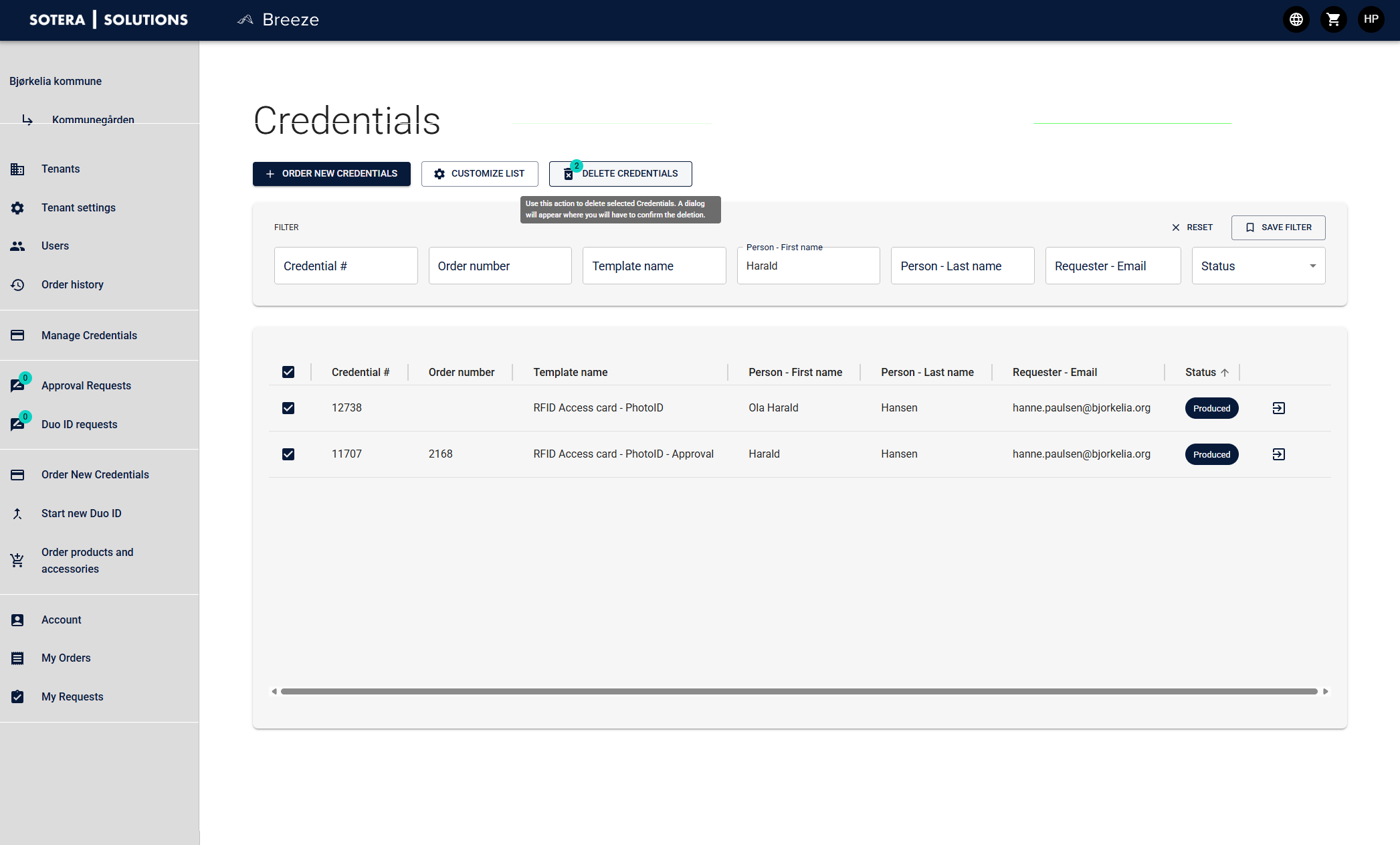
Use the filter fields above the list to search. You can search by Credential #, Order number, Template name, Person – First name, Person – Last name, Requester email or Status.
The search also finds partial matches. For example, searching for “Harald” in First name returns both “Harald” and “Ola Harald”. Check every result carefully before you go on.
Tip: Click Save filter to save a search you use often. Click Reset to clear all filters.
Step 3: Select the credentials
Tick the box to the left of each credential you want to delete. To select every credential in the search result, tick the box in the column header.
The Delete credentials button shows how many credentials you have selected.
If you select more than 100 credentials, Breeze lets you limit the selection to the first 100 or 300, or clear it and start again.
Step 4: Delete
Click Delete credentials. A confirmation box appears. Check that the number and the selection are right, then confirm.
What happens when you delete a credential?
The person’s details (such as name and photo) are anonymised in Breeze.
The status changes to Deleted, and the credential disappears from the active lists.
For mobile credentials, the mobile ID is also removed from the provider and, where possible, from the person’s phone.
An anonymised record can remain in the audit log for traceability.
Good to know
Export first. If you need a copy for your records, export the search result before you delete. This requires the Super Admin or Data Exporter role.
The physical card. Deleting a credential in Breeze doesn’t destroy the physical card. If the card is used in an access control system, check that it is also blocked or removed there.
User accounts. Deleting a credential doesn’t delete the person’s user account in Breeze. User accounts are managed under Users, or automatically through Life Cycle Management.
For more on how Breeze stores and processes personal data, see Data storage and DPA.
Didn’t find what you were looking for? Contact the Breeze Team.